AIAI Video Lab

THE PRODUCTION WORKSPACE

One brief. One production plan.
Every decision connected.

Studio turns a natural-language brief into a production route while keeping references, model trade-offs, hard budget, approval state and revisions attached to the same project.

THE CURRENT PRODUCT LOGIC

See what Studio keeps connected before generation.

Select a production decision to inspect the context AI Video Lab carries forward.

AI Video LabProduct filmRoute recommended
High-fashion editorial in a golden desert
STAGE 02 / PLANProduction route

AI Video Lab breaks the job into stages and compares viable model combinations instead of forcing one generator.

Select a stage to inspect the production
2 of 7 stages selectedRoute recommended

WHAT STAYS CONNECTED

A production record, not a pile of prompts.

01

Story stays visible

The original brief, reference intent and requested outcome remain part of the same project instead of disappearing between tools.

Brief · references
02

Characters stay anchored

Reference assets and identity requirements travel with the shots and routes that need them.

References · continuity
03

Production stays inspectable

The recommended route keeps provider choices, shot-level work and cost trade-offs visible before execution.

Route · providers · cost
04

Approval stays human

Verified route, exact cost and paid generation remain separate explicit decisions instead of hidden automation.

Verify · approve · generate
PROVIDER ROUTING MAPBring your own connected tools

One project. Clear handoffs.

See how a production brief moves to the right specialist, returns as a reviewable asset, and pauses for a human decision before the next stage.

Project briefSpecialist routeProject return
Production provider routing mapThree routes connect a shared project brief to visual, motion, and audio providers, then return reviewable assets to a human approval gate.01Brief + referencesVisual providerAsset reviewApproved frameMotion providerClip reviewAudio briefAudio providerMix reviewHumanapproval

Provider availability and cost depend on the account connected to the project. Generation remains a deliberate action.

ROUTE 01

Visual references

Input
Character notes, approved references, and the scene brief
Provider task
Create or refine a visual only when the scene needs one
Returns
A reviewable image or reference asset attached to the project
Review gate
Confirm identity, wardrobe, framing, and intended use before motion
YOUR ACCOUNTS

Credentials stay connected at the provider layer. The project records the creative decision and the returned asset.

EDITORIAL REFERENCE

Review the result, not a placeholder.

This cinematic reference is used to demonstrate how a production review surface can keep visual evidence and decisions together.Start with your story
High-fashion editorial in a golden desert
REFERENCE 001Editorial production reference
Source
Editorial reference used for interface demonstration
Clip
5.04 seconds · 1280 × 720 · 24 fps
Audio
Silent visual motion test
Review
Three frames extracted locally for continuity checks

Evidence describes this file only. Suitability and release remain human decisions.

OUTPUT REVIEW

Inspect motion as a sequence.

Move through three frames from the same cinematic editorial sequence. The review compares identity, wardrobe and framing across time instead of judging one thumbnail.
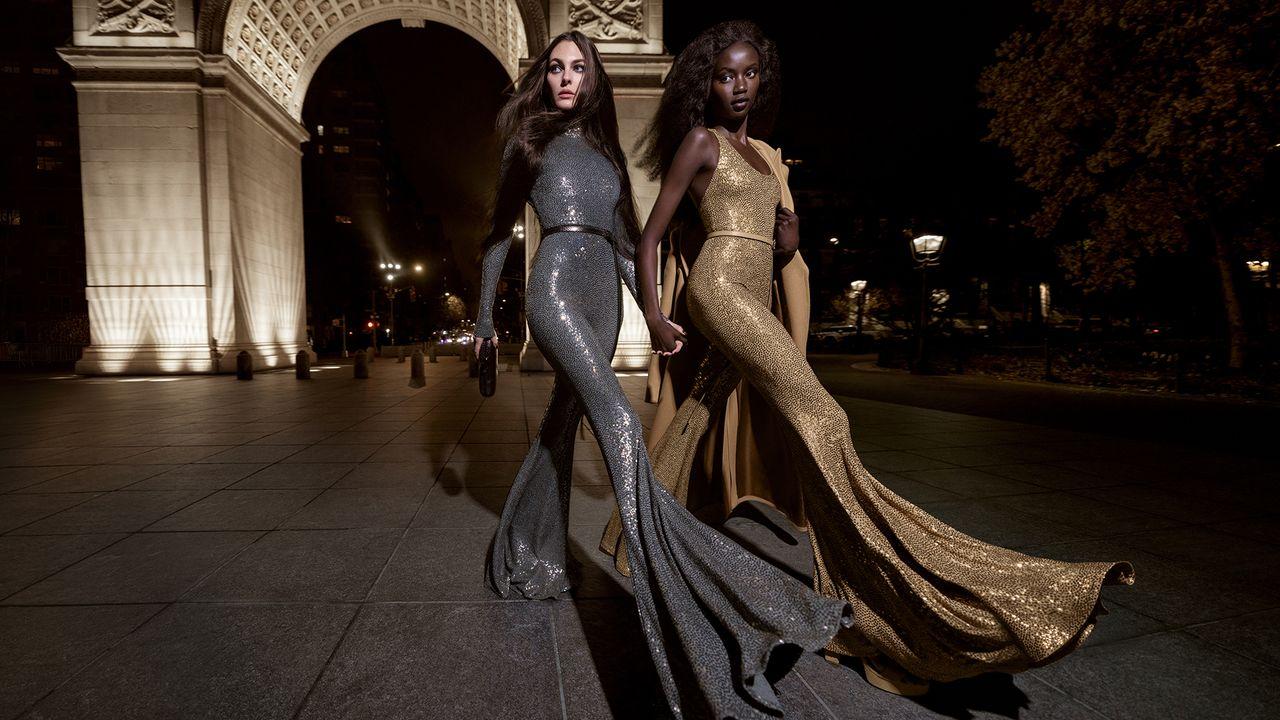
CONTINUITY VIEWER01 / 03
Editorial subject in the opening frame
OpeningStart from a readable pose
SEQUENCE MAP

Select a frame or use the arrow keys

Frames extracted locally from the real AI Video Lab output above.

THE STORY IS YOURS

Build the world. Keep the thread.

Start with one clear idea and carry it through a visible production path.

Paid generation remains disabled by default.

BEFORE PRODUCTION

  1. 01
    Brief

    Set the premise, format, and production goal.

  2. 02
    Route

    Choose only the stages and providers the project needs.

  3. 03
    Approve

    Review provider-dependent actions before generation.